
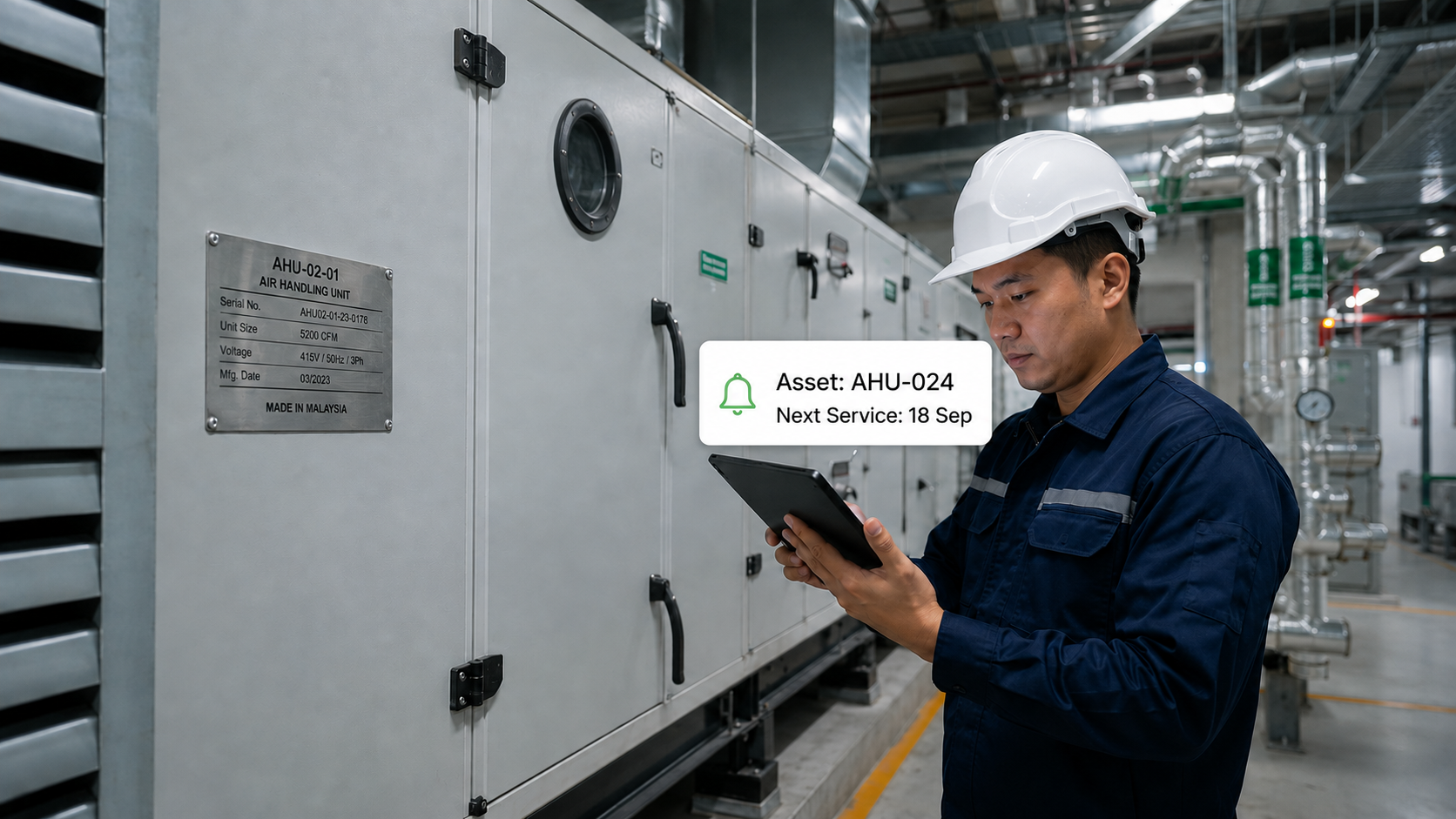
For some businesses, tracking an asset is simply a matter of knowing where it is.
For field service companies, it is much more than that.
An elevator service company needs to know which lift was serviced, what the technician found and when the next maintenance visit is due. An HVAC company needs to keep track of hundreds of air-conditioning units across different customer sites. A medical equipment service provider needs accurate records of individual devices, their service history and maintenance requirements.
When equipment is part of an ongoing service relationship, asset tracking becomes essential.
Asset tracking software for field service gives companies a centralised way to manage customer assets, service history, maintenance schedules and technician activities. Instead of treating each service job as an isolated transaction, businesses can build a continuous record around every asset they maintain.
That can help service teams manage preventive maintenance, reduce administrative work, improve service documentation and identify recurring equipment problems.
Key Summary
- Centralising asset information helps service teams keep customer assets, maintenance schedules, service history and technician activities connected in one place.
- Connected asset tracking improves field service efficiency by giving technicians quick access to relevant asset information and reducing reliance on Excel, WhatsApp and paper-based processes.
- Better asset visibility helps businesses make smarter decisions by revealing recurring breakdowns, maintenance needs, service activity and overall asset performance.
What Is Asset Tracking Software for Field Service?
Asset tracking software for field service is software that helps companies track customer equipment and connect each asset to its location, maintenance schedule, service history, technician activity and service records.
A basic asset tracking system may tell you:
- What the asset is
- Where it is located
- Who owns it
- Its model and serial number
- Its current status
Field service asset tracking goes further.
It should help answer questions such as:
- When was this asset last serviced?
- Who serviced it?
- What was found?
- What work was performed?
- Were photos or videos captured?
- Has this asset broken down before?
- When is the next preventive maintenance due?
- How much service activity has this asset generated?
- Are there recurring problems?
This distinction is important.
Field service companies do not simply need to know where their assets are. They need to know what is happening to them.
Why Is Asset Tracking Important for Field Service Companies?
Asset tracking is important because field service businesses are responsible for maintaining equipment over time, often across many customers, sites and locations.
Every asset can create recurring work.
That work may include:
Preventive maintenance → Inspection → Repair → Parts replacement → Breakdown support → Follow-up service
Without a reliable asset record, information from these activities can become scattered across spreadsheets, WhatsApp messages, paper reports and individual technicians’ records.
Asset tracking brings those activities together around the asset.
This is particularly important for businesses managing:
- Large numbers of customer assets
- Recurring maintenance contracts
- Multiple customer sites
- Mobile technicians
- High-value or technical equipment
- Compliance or documentation requirements
- Long-term service relationships
The more assets a business manages, the more difficult it becomes to maintain accurate information manually.
Which Field Service Businesses Need Asset Tracking Software?
Asset tracking software is particularly valuable for businesses that install, inspect, maintain, repair or manage physical equipment at customer sites.
Common examples include:
Elevator and Escalator Service Companies
Each lift or escalator can have its own maintenance schedule, service history, inspection requirements and breakdown record.
When a company manages hundreds of lifts across different buildings, tracking each asset individually becomes essential.
HVAC and Air-Conditioning Companies
A single commercial customer may have dozens or hundreds of air-conditioning units.
Each unit can have a different installation date, maintenance history, condition and service requirement.
Asset tracking helps service teams manage individual units instead of treating the entire customer site as one service record.
Facilities Management Companies
Facilities management teams often manage multiple types of building assets across multiple properties.
These can include air-conditioning systems, pumps, generators, electrical equipment, fire systems and other building infrastructure.
Centralised asset records help connect those assets to inspections, maintenance and service activities.
Medical Equipment Service Companies
Medical equipment is often high-value, sensitive and critical to operations, making accurate asset tracking essential.
Each device may require regular maintenance, calibration and repairs. Asset tracking keeps its service history, findings and maintenance records in one place, reducing the risk of missed maintenance or incomplete documentation.
The more valuable or service-critical the equipment, the more important accurate asset tracking becomes.
Equipment Rental Companies
Rental equipment moves between customers and job sites and is exposed to different operating conditions.
Tracking equipment condition, maintenance history and service activity helps companies understand what happened to each machine throughout its rental lifecycle.
Engineering and Maintenance Companies
Engineering service companies may maintain pumps, machinery, electrical systems, production equipment and other technical assets.
Asset tracking connects those physical assets with the technicians, jobs and maintenance activities associated with them.
The common factor is that the asset remains part of the business relationship after the initial sale or installation.
What Information Should Field Service Asset Tracking Software Track?

A useful asset tracking system should provide more than an asset name and serial number.
It should create a complete digital history of the asset.
1. Asset Details
Basic information can include:
- Asset name
- Asset type
- Model
- Serial number
- Customer
- Site
- Location
- Installation date
- Asset status
This provides the foundation for the asset record.
2. Asset Location
Knowing where an asset is becomes particularly important when a customer has multiple branches, buildings or sites.
The system should allow service teams to associate assets with specific customers and locations so technicians know exactly which equipment they are expected to service.
3. Maintenance Schedule
The asset should be connected to its preventive maintenance requirements.
This allows service teams to see:
- Last maintenance date
- Next maintenance date
- Upcoming maintenance
- Overdue maintenance
- Maintenance frequency
- Recurring service plans
This is much more manageable than maintaining separate Excel schedules for different customers.
4. Service History
Every completed service job should contribute to the asset’s history.
A useful service history can include:
- Service date
- Technician
- Work performed
- Findings
- Checklist results
- Photos
- Videos
- Parts used
- Customer feedback
- Customer signature
- Service report
The next technician can then understand what happened previously instead of starting from scratch.
5. Asset Condition
Technicians should be able to update the condition of equipment during service visits.
For example, they may record:
- Visible damage
- Abnormal readings
- Wear and tear
- Faults
- Maintenance findings
- Recommended actions
This gives the business a clearer picture of how the asset changes over time.
6. Asset Performance

Once enough service data has been collected, businesses can begin looking at asset-level performance.
Relevant metrics may include:
- Breakdown frequency
- Service frequency
- Service duration
- Rework
- Mean Time Between Failures (MTBF)
- Maintenance history
This turns the asset record into a source of operational information rather than simply a database entry.
What Are the Benefits of Asset Tracking Software for Field Service?
The main benefit of asset tracking software is not simply that information becomes digital.
The bigger benefit is that asset information becomes connected to the work your field team performs.
Better preventive maintenance management
Teams can identify which assets are due for maintenance and reduce reliance on manually checking spreadsheets.
Faster access to service history
Technicians can see previous work and findings before servicing an asset.
More consistent service documentation
Digital checklists, photos, videos and service reports create a more complete record of field activities.
Less administrative work
Office teams spend less time collecting information from WhatsApp, paper forms and separate spreadsheets.
Better visibility into recurring problems
Asset-level service history can reveal repeated breakdowns, rework and other patterns.
Better customer communication
Service teams can provide more complete records of what was done and what was found.
Greater operational control as the business grows
A centralised asset record becomes increasingly valuable as the number of customers, sites and assets increases.
How Does Asset Tracking Work in Field Service?
A typical field service asset tracking workflow looks like this:
1. Create the asset record
The business records the customer’s equipment, including its model, serial number, location and other relevant information.
2. Assign the asset to a customer and site
This connects the physical equipment to the correct service location.
3. Schedule maintenance or service
The asset can be linked to recurring preventive maintenance or other service requirements.
4. Technician receives the job
The technician accesses the asset information through a mobile application.
5. Technician identifies the asset
QR codes or other asset identification methods can help the technician quickly access the correct asset record.
6. Technician performs the service
The technician follows the required SOP or checklist and records findings.
7. Service proof is captured
Photos, videos, timestamps and customer signatures can be recorded as part of the job.
8. Asset history is updated
The completed work becomes part of the asset’s service history.
9. Next action is scheduled
If preventive maintenance, repair or follow-up work is required, it can be scheduled accordingly.
Over time, each service visit adds another layer of information to the asset.
Why QR Codes Are Useful for Field Service Asset Tracking

QR codes can make asset identification faster for technicians working in the field.
A QR code attached to an asset can link directly to its digital record.
Instead of searching through a spreadsheet for the correct equipment, the technician can scan the code and access information about that specific asset.
For example:
Scan asset → View asset history → Perform service → Record findings → Capture proof → Update asset history
This is particularly useful when technicians work across large sites containing many similar pieces of equipment.
It also reduces the risk of recording service information against the wrong asset.
Asset Tracking vs Asset Management: What’s the Difference?
Asset tracking focuses on identifying, locating and monitoring an asset. Asset management covers the broader lifecycle of that asset, including maintenance, service history, condition and performance.
For field service companies, the distinction matters.
Basic asset tracking might tell you:
“AHU-024 is located at Building A.”
Asset management can tell you:
“AHU-024 is located at Building A, was serviced last month, has had two reported issues this year, requires preventive maintenance next month and had a recurring fault during its previous service.”
The second provides much more useful information for a service business.
That is why companies should consider how asset tracking connects to field service management, preventive maintenance and service history rather than evaluating asset tracking as a standalone function.
Can Asset Tracking Software Replace Excel and WhatsApp?
It can, when the software brings asset records, service scheduling, technician updates, maintenance and reporting into one connected workflow.
Excel can be useful for maintaining lists.
WhatsApp can be useful for communication.
Paper can be useful for temporary notes.
The problem arises when these tools become the system used to manage an entire field service operation.
For example:
Excel: Asset list
WhatsApp: Technician assignment
Paper: Service checklist
Phone gallery: Service photos
Email: Customer report
Now the asset’s information is spread across five different places.
A field service platform can bring those activities into one workflow.
The goal is not simply to replace one tool with another.
The goal is to stop important asset information from becoming fragmented.
How Asset Tracking Helps Preventive Maintenance
Preventive maintenance is one of the strongest reasons for field service companies to implement asset tracking.
Without asset-level information, maintenance teams may know that a customer has a maintenance contract but still struggle to determine exactly which equipment needs attention.
Asset tracking connects the maintenance requirement to the individual asset.
For example:
Customer → Site → HVAC Unit → Maintenance Plan → Next Service Date → Assigned Technician
This creates a more precise maintenance workflow.
It also creates a historical record that can help technicians understand what happened during previous visits.
When combined with automated reminders and recurring maintenance plans, asset tracking can help businesses move away from manually monitoring maintenance schedules.
How Asset Tracking Helps Reduce Repeat Service Work
Repeat service is not always bad.
Some equipment naturally requires more maintenance than others.
But repeated visits can also indicate a problem that deserves investigation.
Suppose the same asset generates five service visits in six months.
Without an asset-level history, those may simply appear as five separate jobs.
With asset tracking, the business can see the pattern.
It can then investigate:
- Is the same fault recurring?
- Was the original problem properly resolved?
- Is the asset reaching the end of its useful life?
- Are technicians following the correct procedure?
- Does the customer need a replacement or upgrade?
- Is preventive maintenance sufficient?
This is where asset tracking can contribute to both operational efficiency and better commercial decisions.
Asset Tracking and Field Technician Productivity
Asset tracking also affects how technicians spend their time.
A technician who has to search for previous service information, contact the office or wait for a customer to provide equipment details is spending time on administration rather than service delivery.
With centralised asset information, technicians can access relevant information from the field.
They can also record their work directly against the asset.
This creates a cleaner flow:
Asset information → Job → Technician activity → Service proof → Asset history
The result is less manual coordination between the office and field.
How to Choose Asset Tracking Software for Field Service
When evaluating asset tracking software, look beyond the asset register.
Ask these questions:
Does it manage assets across customers and sites?
The system should support the way your business actually operates, including multiple customers, branches, buildings and locations.
Can technicians use it from the field?
A system that works well in the office but is difficult for technicians to use will not produce reliable field data.
Does every service visit update the asset history?
The asset record should become more valuable with every completed job.
Can it manage preventive maintenance?
Look for recurring maintenance schedules, reminders and visibility into overdue work.
Can technicians capture service proof?
Photos, videos, checklists, timestamps and customer signatures can improve documentation and accountability.
Can it connect asset tracking with job scheduling?
Asset information should not exist separately from the work being performed.
Can it reduce Excel, WhatsApp and paper-based processes?
The system should simplify the workflow rather than become another tool that staff need to maintain.
Can it provide operational insights?
Look for the ability to analyse breakdowns, service duration, rework, workloads and asset performance.
How Caction Supports Asset Tracking for Field Service
Caction combines asset management, field service management and operational intelligence in one platform.
Instead of maintaining an asset database separately from technician activities, maintenance schedules and service reporting, Caction connects these processes around the asset.
Technicians can use QR scanning to identify customer assets and access relevant information from the field.
During service jobs, technicians can use digital SOPs and checklists while capturing photos, videos, findings, timestamps and customer signatures.
Preventive maintenance can be managed through recurring maintenance plans and automated reminders.
GPS-verified check-in and check-out can provide visibility into site attendance, while field updates are centralised instead of scattered across WhatsApp conversations.
Service reports can then be generated from information captured during the job.
This creates a connected service history:
Customer → Site → Asset → Maintenance → Job → Technician → Service Proof → Service Report → Asset History
As more jobs are completed, Caction can also provide operational insights into areas such as breakdowns, service duration, rework, workloads and MTBF.
So the value of asset tracking goes beyond knowing where equipment is.
It gives service businesses a clearer picture of the equipment they are responsible for, the work being performed on it and the operational patterns developing over time.
Frequently Asked Questions About Asset Tracking Software for Field Service
What is asset tracking software for field service?
Asset tracking software for field service helps businesses track customer equipment and connect each asset to its location, service history, maintenance schedule, technicians and field activities.
Why is asset tracking important for field service?
Asset tracking is important because field service companies regularly maintain and repair customer equipment. A centralised asset history helps teams manage preventive maintenance, access previous service information, document field work and identify recurring equipment problems.
Which industries need field service asset tracking?
Industries that commonly benefit include elevator and escalator services, HVAC, facilities management, medical equipment servicing, equipment rental, engineering services and building maintenance.
What should an asset tracking system record?
An asset tracking system should record information such as asset details, serial numbers, customer and site, location, maintenance schedules, service history, technician activities, findings, photos, service reports and performance data.
Can asset tracking software manage preventive maintenance?
Yes. Asset tracking software can connect individual assets to recurring preventive maintenance schedules, service intervals and reminders.
Can technicians access asset information from their phones?
Yes. Mobile field service software allows technicians to access asset records and update information directly from customer sites.
Can QR codes be used for asset tracking?
Yes. QR codes can connect physical equipment to its digital asset record, allowing technicians to quickly identify the correct asset and access its service history.
What is the difference between asset tracking and asset management?
Asset tracking focuses on identifying and locating assets, while asset management covers the broader lifecycle of an asset, including maintenance, service history, condition and performance.
Can asset tracking replace Excel?
Asset tracking software can replace spreadsheet-based asset management when it provides a centralised system for asset records, maintenance schedules, service history and field updates.
Asset Tracking Is About More Than Knowing Where Equipment Is
For a field service company, an asset is rarely just an item on a customer site.
It is connected to maintenance schedules, technicians, service jobs, customer commitments, service reports and future work.
That is why asset tracking becomes increasingly important as a field service business grows.
The right system should help your team answer three simple questions:
What assets are we responsible for?
What has happened to them?
What needs to happen next?
When asset information is connected to field service activities, businesses can move beyond maintaining an equipment list and start building a complete operational history around every asset.
That is what makes asset tracking valuable for field service: not just knowing where an asset is, but knowing what is happening to it.


Leave a Reply