

If you run a service, maintenance, or asset-heavy business, chances are you’ve heard the term CMMS. Maybe a vendor mentioned it. Maybe your team asked for it. Or maybe you’re already struggling with Excel sheets, chat messages, and paper job cards—and wondering if there’s a better way.
A CMMS brings order to a service business by organising jobs, assets, schedules, and field updates into one clear system. For example, a lift maintenance company handles 50 breakdown calls a day, but jobs are tracked through WhatsApp messages and paper checklists. Managers only find out about repeat faults or missed inspections when customers complain.
With a CMMS, every breakdown, inspection, and part replacement is logged in real time, so supervisors can spot recurring issues early, assign the right technician, and prevent the same lift from failing again.
Read on to find out how to choose a CMMS for your company.
What Is CMMS?
CMMS stands for Computerized Maintenance Management System. In plain terms, it’s a system that helps companies manage assets, maintenance work, technicians, and spare parts in one place.
A CMMS typically helps you:
- Track assets and equipment
- Schedule preventive maintenance
- Manage breakdowns and work orders
- Record service history and inspections
- Track spare parts usage and inventory
- Monitor technician performance and response times
Instead of relying on memory, paperwork, or chat apps, a CMMS becomes your single source of truth for maintenance and operations.
For example, when a lift breaks down, a CMMS allows you to:
- Log the issue
- Assign a technician
- Guide them with SOPs and checklists
- Capture photos, signatures, and timestamps on-site
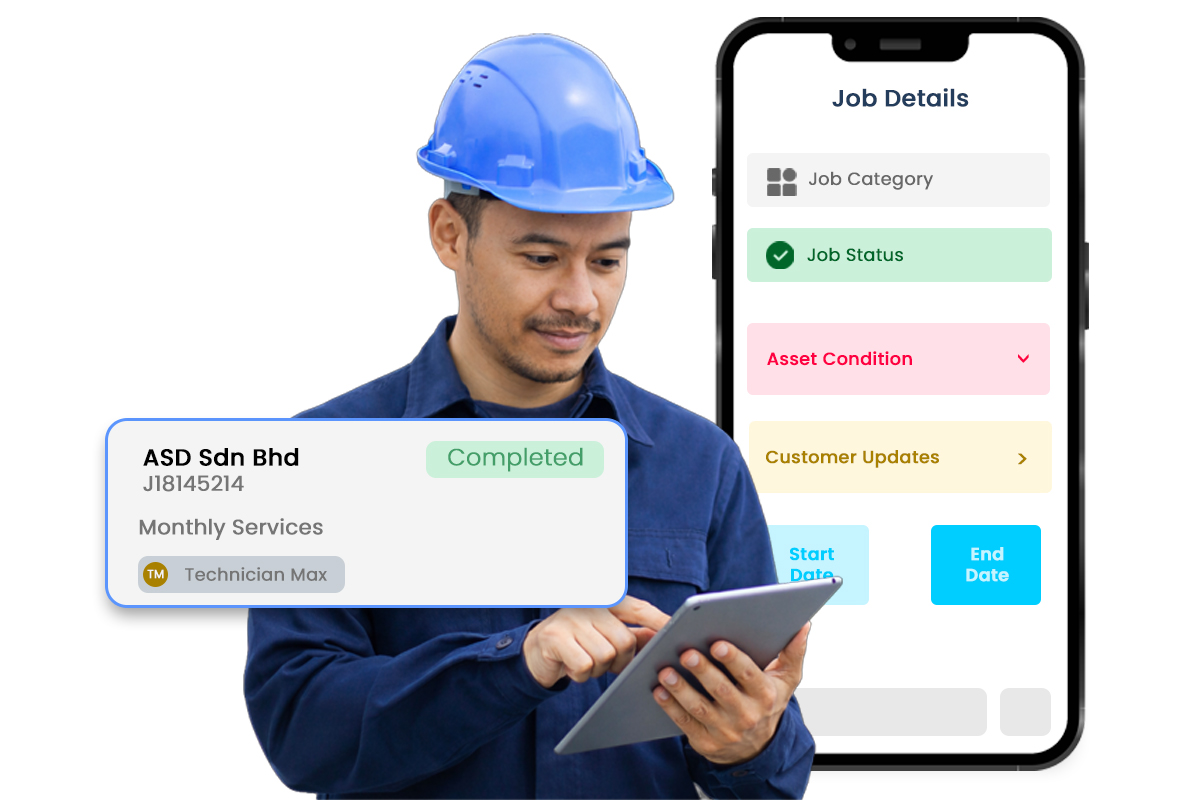
- Update the customer and management in real time
- Store the full history for future analysis
Over time, this data becomes extremely valuable—not just for maintenance, but for decision-making. For example, Caction is built on advanced platforms like Microsoft Power BI, turning your data into easy-to-read charts that give you a quick, summarised view of your operations.
Why Is CMMS Important?
Many companies only realise the importance of a CMMS when things start going wrong.
Common pain points we see:
- Technicians forget to record details
- Jobs are completed but not documented properly
- Parts replacement is skipped due to lack of reminders, resulting in profit leakages
- Spare parts go missing or are overstocked
- Management only finds out about issues when customers complain
A maintenance software helps fix these problems by creating structure, visibility, and accountability.
Here’s why CMMS matters:
1. Fewer breakdowns, less firefighting
With proper organised maintenance schedules, issues are addressed before they turn into emergencies.
2. Better technician productivity
Technicians know where to go, what to do, and what to record—without back-and-forth calls.
3. Clear records and compliance
Inspections, SOPs, and regulatory forms are captured digitally and stored safely.
4. Happier customers
Faster response times, clearer reports, and transparent service history build trust.
5. Smarter decisions
When you can see recurring faults, high-cost assets, or parts that fail too often, you can improve profitability instead of guessing.
In short, a CMMS turns daily operational work into usable data.
How to Choose the Best CMMS Software
Not all CMMS systems are created equal. Some look good in demos but are painful in real-world use. For example, a CMMS may look polished during a demo, but in real use technicians struggle with random malfunctions, confusing interfaces, and repeated data entry—and without good after-sales support, issues go unresolved and teams quickly abandon the system for WhatsApp or paper.
Here are a few practical things to look for:
1. Easy for technicians to use
If your technicians don’t use it properly, the system will fail. Look for a mobile-friendly interface with simple forms, photo uploads, and offline capability.
2. Strong asset and maintenance tracking
A good CMMS should clearly show asset history, breakdown trends, and past work.
3. Real-time updates
You should be able to see job status, technician location, and progress without calling anyone.
4. Flexible workflows
Every business works slightly differently. The system should adapt to your SOPs—not force you into rigid processes.
5. Reporting and analytics
Basic lists are not enough. Look for dashboards that show response time, rework rate, asset reliability, and parts usage.
6. Scalable and secure
As your business grows, the system should handle more users, assets, and data without slowing you down.
A CMMS is not just an IT purchase—it’s an operational decision. Choose one that fits how your team actually works.
How to Use CMMS Maintenance Software Effectively
Buying a CMMS is only step one. The real value comes from how you use it daily.
Here’s a simple approach that works for many teams:
Start with your key assets
Register critical equipment first—lifts, machines, vehicles, or systems that directly impact uptime.
Digitise SOPs and checklists
Instead of relying on memory, guide technicians with clear steps, required photos, and mandatory fields.
Schedule preventive maintenance early
Even basic reminders are better than reactive repairs.
Make data capture non-negotiable
Photos, remarks, timestamps, and signatures should be part of every job.
Review reports regularly
Use dashboards to spot delays, repeat issues, and improvement opportunities—not just for audits.
Train and reinforce
Spend time helping your team understand why the system matters. Adoption improves when people see how it helps them, not just management.
More Than A CMMS
At Caction, we see a CMMS not just as a maintenance tool, but as part of a broader operations intelligence platform.It connects people, processes, and data—capturing everyday work in real time and turning it into meaningful insights that drive better, faster decisions across the business.
Beyond tracking jobs and assets, Caction’s mobile app helps companies:
- Connect field work with management insights
- Analyse technician performance and asset reliability
- Optimise spare parts and reduce waste
- Turn everyday operational data into decisions that improve margins and morale
Whether you’re managing elevators, facilities, equipment, or service teams, a CMMS can often be the foundation for running a more predictable, scalable, and healthier business, which you can explore more with Caction here. In addition, Caction transforms everyday operational data into clear, actionable analytics powered by Microsoft for better decisions.



Leave a Reply